

Quick Start
Set environment variables
HH_PROJECT needed.For v3 keys (cog_* prefix), also set:What Gets Traced
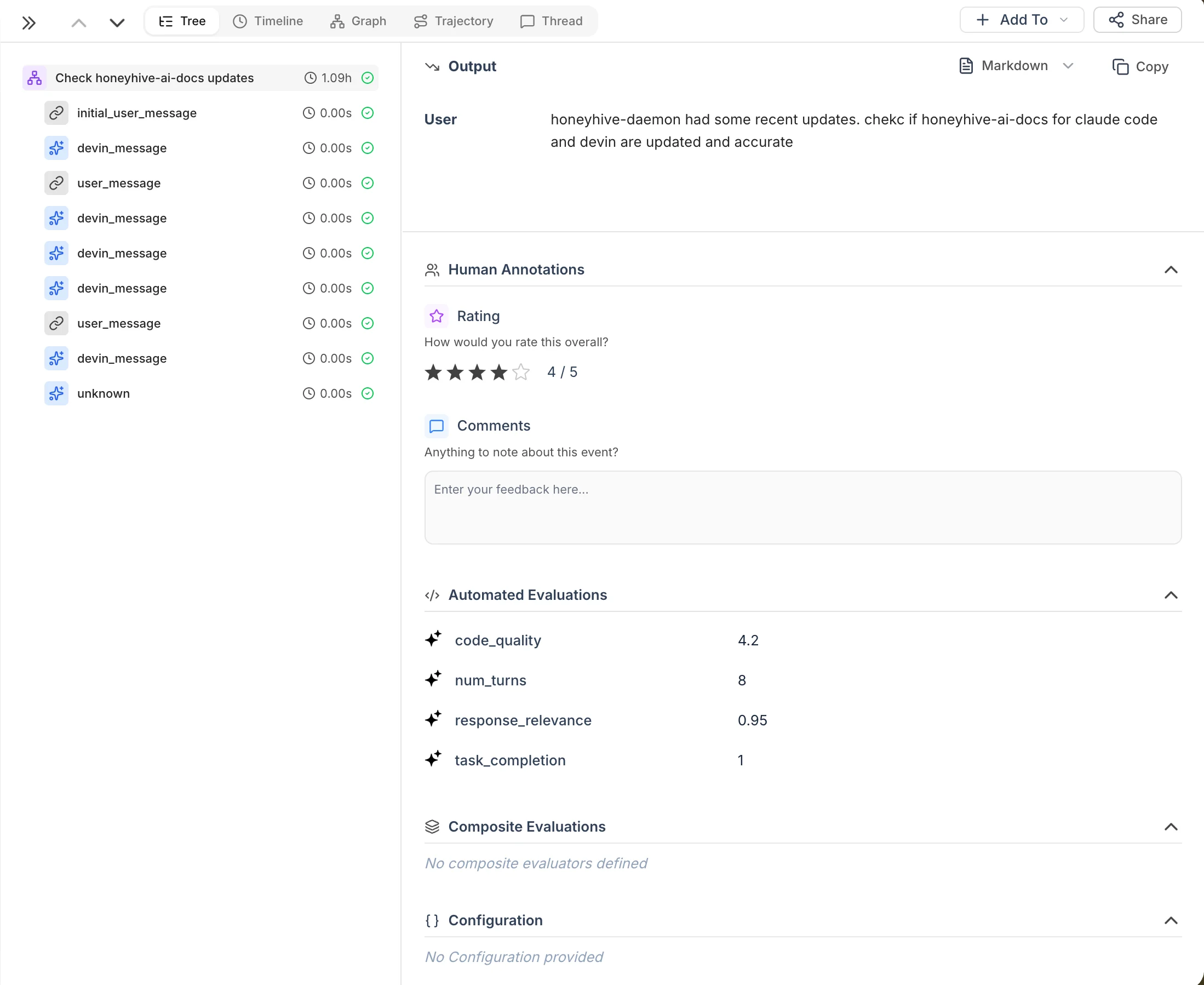
Each Devin session becomes a trace tree in HoneyHive:| Event name | Type | Description |
|---|---|---|
| session title | session | Root event with session metadata, status, PR links, and chat history. |
user_message | chain | User messages (includes initial_user_message for the first prompt). |
devin_message | model | Agent responses from Devin. |
{category}/{event_type} | tool/model | Internal processing events (see below). |
session.end | chain | Session completion with a full conversation transcript artifact. |
devin_url, devin_status, devin_pull_requests) and metrics.acus_consumed for tracking spend (ACUs are Devin’s Agent Compute Units, their billing unit).
Internal events
For v3 API keys (cog_*), the exporter also syncs Devin’s behind-the-scenes processing events:
| Category | Type | Example event names |
|---|---|---|
shell | tool | shell/shell_command, shell/shell_output |
git | tool | git/git_commit, git/git_push |
browser | tool | browser/browser_navigate, browser/browser_click |
file | tool | file/file_edit, file/file_read |
message | model | message/agent_message |
devin_message events above. Noisy internal events (checkpoints, activity updates, terminal updates) are filtered out automatically.
Re-running the exporter is safe - it tracks sync state on disk and only processes new data.
Troubleshooting
| Symptom | Fix |
|---|---|
| Authentication error from Devin | Verify your key prefix: apk_* for v1, cog_* for v3. Set DEVIN_ORG_ID for v3. |
| 401 from HoneyHive | Check HH_API_URL points to the correct data plane (e.g. https://api.dp1.us.prod.honeyhive.ai). |
| Duplicate or stuck sessions | Delete the state file (sync_state.json) to force a full re-sync. |
| Need more detail | Run with --verbose for per-session sync logs and API responses. |
Related
Source code
Devin exporter script and documentation
Claude Code Integration
Real-time Claude Code tracing via hooks
Tracing Quickstart
Get started with HoneyHive tracing
Query Your Data
Filter and analyze traces